v4.30 is the next stop in our roadmap. Let’s look at the changes made in this version.
Sound Engine
Sound Effects
Sound fade-in/out settings are now can be defined separately for manual and automatic switching between tracks.
Equalizer Presets
Before this version, the player provides an ability to set different equalizer presets for different types of output devices like phone speaker, wired or wireless headset. Just three custom profiles.
Since v4.30, AIMP operates with the device identifier, rather than its type, thereby allowing you to set a unique equalizer settings for each of the output devices connected to the phone.
How does it works? When you modify equalizer bands, the player remember parameters you set to the current output device. When you reconnect this device to your phone, the player will automatically restore these settings.
Network
Internet Radio
Since this version, the app will be able to disconnect from the server without having to wait for a response. So, now you will not have to wait for a connection failure if the server is unavailable or not responding.
Caching
When you starts playing the file from external storage – from FTP, Clouds or Windows Shared Folder – the app pre-downloads the file to local cache and then starts playing it. In this version, we’ve improved the caching mechanism. Since now, you can play files from the cache even if you do not have a network connection.
Windows Shared Folders
We’ve introduced an ability to specify protocol version to connect to the server.
Playlists
Personal Settings
First and most “tasty”: we’ve added an ability to switch on the album art thumbnails in playlist. You can do this in personal settings of playlist, like in AIMP6 for PC:
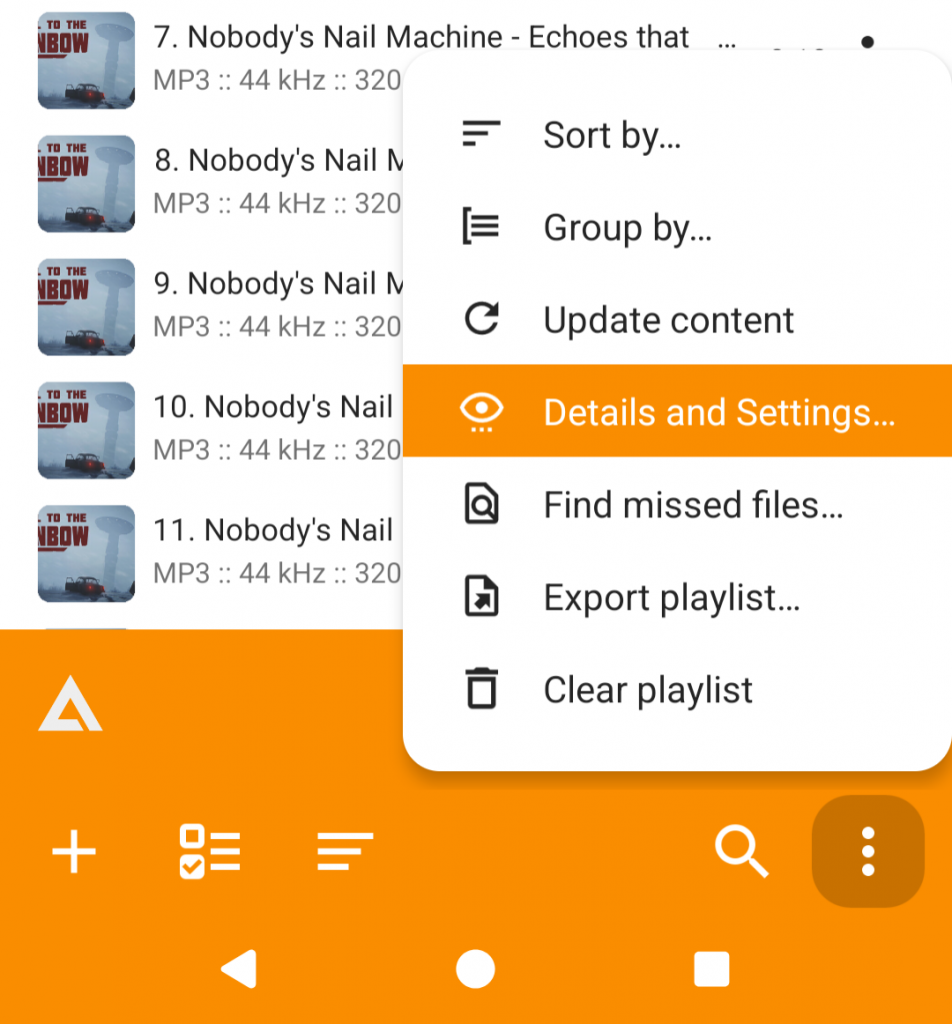
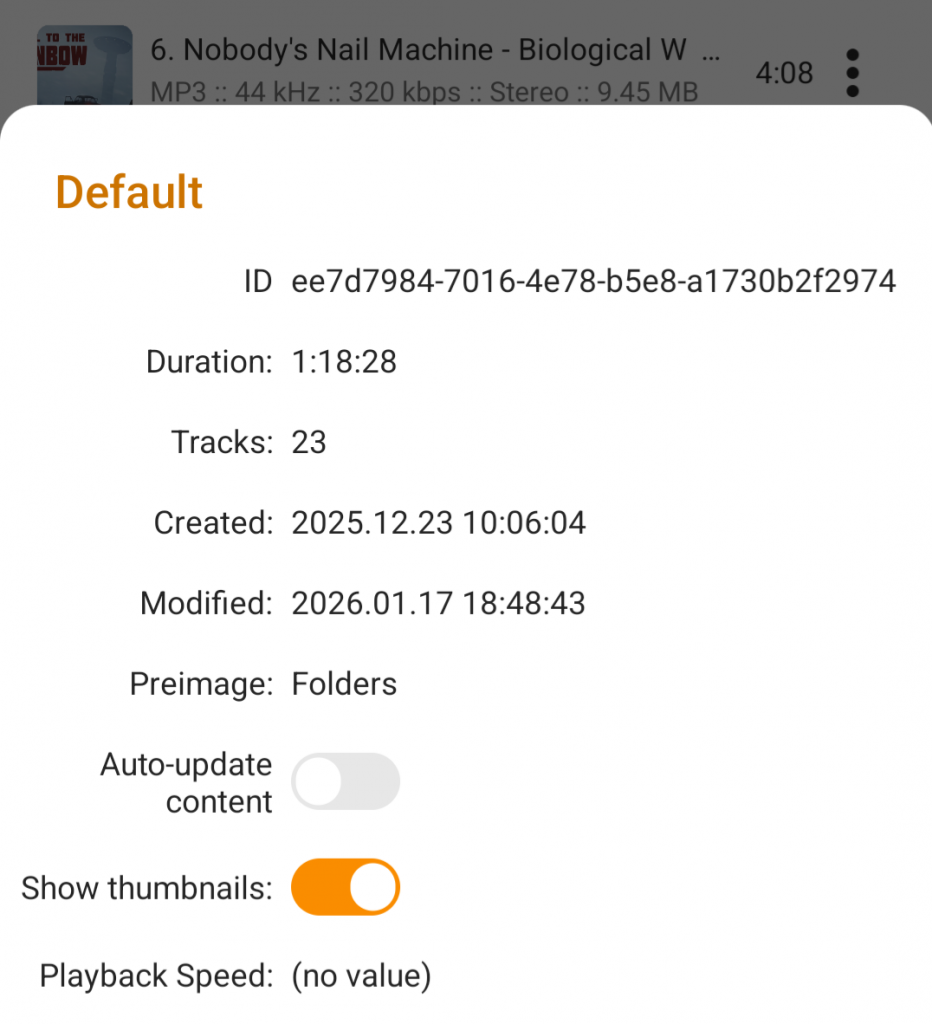
At screenshot above, you can see another new option – an ability to auto-update playlist content on app launch, the option is available for smart-playlists only.
Undo
Second most important is an ability to undo quick actions – the actions that invoked from playlist’s toolbar. At following screenshot, the toolbar is placed at bottom of screen:
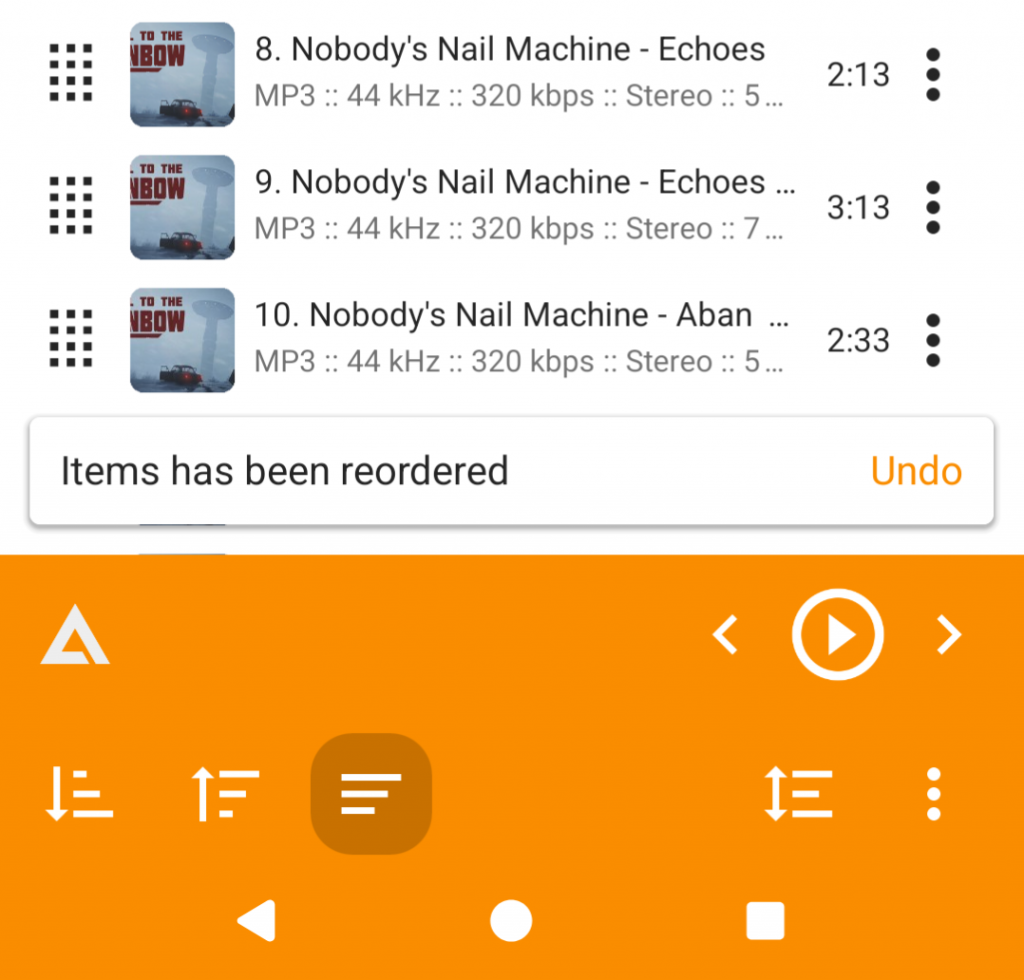
The notification is displayed within a few seconds after performing one of the following actions:
- Sort the list alphabetically (ascending / descending)
- Shuffle the list
- Delete the items
- Clear the list
Music Library
Folders View
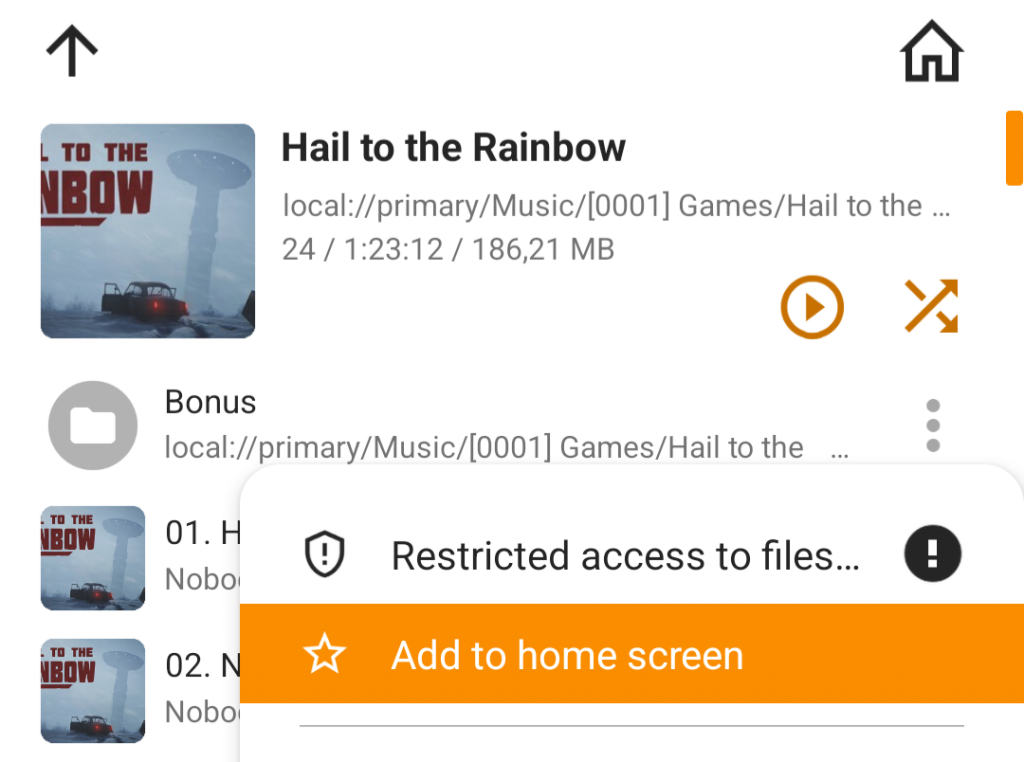
We’ve introduced an ability to pin sub-folders on home screen of Folders View in the Music Library:
Highlighting the playing track
The currently playing track is now highlighted in music library too (only if playback was started from the library):
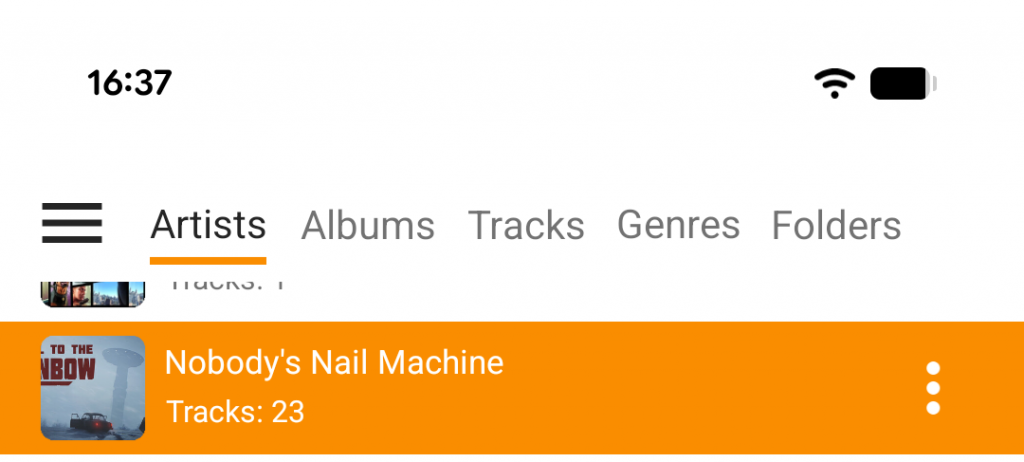
Note: playlist is still responsible for playing tracks from the library. So, tracks playback order will correspond to their order in the playlist, and may not match the order displayed in the library.
* * *
Beta version of AIMP v4.30 is already available for downloading from our web-site, Google Play or Rustore.